




Hands-on Computer Vision Bootcamp [Basic]
74 lessons23 topics14h 9mself-paced
About this course
Two full hands-on sessions that get you building with OpenCV and YOLO, plus the complete roadmap of a computer vision bootcamp. The first session introduces computer vision and OpenCV from reading an image to building a mini drawing app. The second builds a real object tracking and counting application with OpenCV and YOLO.
What you will learn
- Reading, displaying and writing images, colour spaces, and OpenCV basics
- Object tracking and counting with OpenCV and YOLO
- The vocabulary of detection and segmentation: IoU, mAP, COCO and Pascal VOC formats
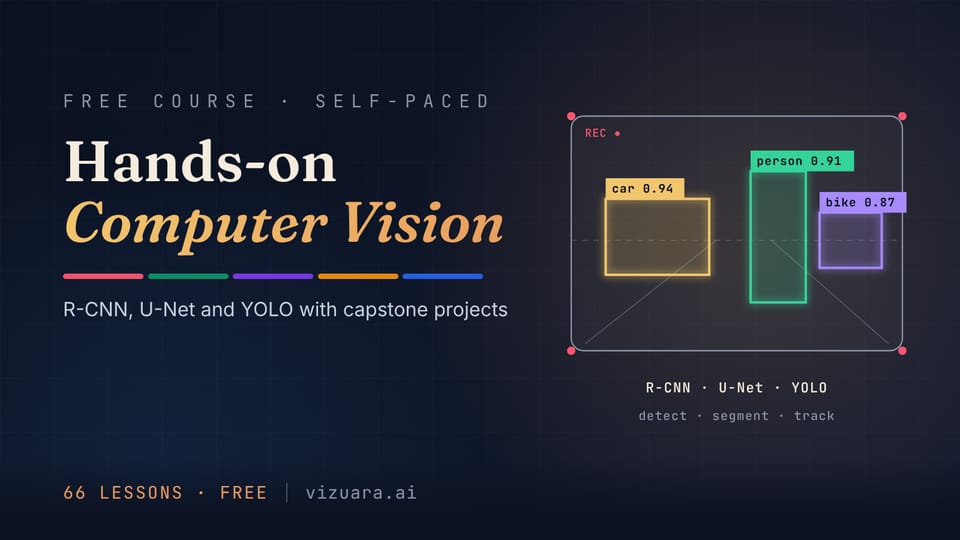
- The bootcamp roadmap through R-CNN, U-Net, YOLOv8 and Roboflow deployment, each with a capstone project outline
What is included
- Two recorded sessions, about 3 hours of video
- A structured syllabus of the full bootcamp with project briefs
Who it is for
Beginners in computer vision who want to get their hands on OpenCV and YOLO quickly.
Course curriculum
23 topics • 74 lessons
14h 9mLecture 1 - Introduction to CV and OpenCV video1 items
- Introduction to computer vision and OpenCV (Day 1 lecture video)
Lecture 2 - Object tracking and counting with OpenCV and YOLO1 items
- Object tracking and counting with OpenCV and YOLO (lecture video)
Lecture 3 - Introduction to RCNN, Fast RCNN, Faster RCNN1 items
- Lecture 3 - Introduction to RCNN, Fast RCNN, Faster RCNN
Lecture 4 - Mask RCNN1 items
- Lecture 4 - Mask RCNN
Lecture 5 - Intro to UNet1 items
- Lecture 5 - Intro to UNet
Lecture 6 - UNet implementation1 items
- Lecture 6 - UNet implementation
Lecture 7 - Introduction to YOLO1 items
- Lecture 7 - Introduction to YOLO
Lecture 8 - Building with YOLO1 items
- Lecture 8 - Building with YOLO
Lecture 9 - Introduction to Roboflow1 items
- Lecture 9 - Introduction to Roboflow
Lecture 10 - Building using Roboflow1 items
- Lecture 10 - Building using Roboflow
R-CNN Implementation5 items
- Implement a simple region-based detector
- Create a mini R-CNN using PyTorch or TensorFlow
- Use pre-trained Faster R-CNN from torchvision.models.detection
- Fine-tuning on a custom dataset
- Visualization of results with bounding boxes
U-Net Implementation4 items
- Dataset preprocessing and mask generation
- PyTorch U-Net implementation
- Model training and validation loop
- Evaluation using mIoU and Dice Coefficient
Real-Time Object Detection with YOLO4 items
- YOLO architecture: grid system, anchor boxes, single-shot detection
- Loss function: objectness + classification + bbox
- From-scratch implementation for toy dataset
- Speed vs accuracy trade-off
Introduction to Computer Vision and OpenCV8 items
- Introduction to Computer Vision
- Reading, displaying, and writing images and videos
- Exercise: Build a mini drawing app that uses OpenCV to annotate an image
- OpenCV basics
- Installing and importing OpenCV
- Color spaces: BGR vs RGB, Grayscale, HSV
- Basic filters: Gaussian blur, edge detection (Sobel, Canny)
- Drawing functions: rectangles, circles, text, contours
R-CNN Theory6 items
- R-CNN Evolution
- Understand the evolution from R-CNN → Fast R-CNN → Faster R-CNN
- Selective search and region proposals
- RoI Pooling and region classification
- Loss functions: classification loss + regression loss
- Limitations of each version and how Faster R-CNN improved speed
Object detection and segmentation6 items
- Object detection pipeline and bounding boxes
- IoU (Intersection over Union) and mAP (mean Average Precision)
- Types of segmentation: Semantic, Instance, Panoptic
- Dataset formats: COCO, Pascal VOC, custom CSV
- Exercise: Annotate a sample image with both bounding boxes and segmentation masks
- Understand the difference between detection and segmentation
R-CNN Capstone project4 items
- Personal Object Detection
- Train a detector to find your personal objects (keys, bottle, phone) in cluttered scenes
- OpenCV for visualization, PyTorch + pre-trained Faster R-CNN
- Jupyter notebook + GitHub repo + annotated images
U-Net Architecture (Theory)4 items
- Encoder-decoder structure
- Skip connections and feature reuse
- Loss functions: Binary Cross Entropy, Dice Loss, Tversky
- Use cases in biomedical imaging, road segmentation
YOLOv8 and Real-Time Apps4 items
- Installing and using Ultralytics yolov8 package
- Webcam integration with live detection
- Model training using small dataset
- Real-time inference and FPS optimization
YOLO capstone project5 items
- Real-time Multi-Object Detection
- Detect multiple object classes from live webcam feed
- YOLOv8 + OpenCV
- Live webcam app, model weights, sample videos
- Real-time Multi-Object Detection
U-Net capstone project4 items
- Crack Segmentation in Pavement
- Train a model to segment pavement cracks from images
- Public crack image dataset or custom uploads
- Full notebook, trained model, evaluation metrics, visual overlays
Roboflow Workflow6 items
- Dataset upload, augmentation, and versioning
- Training models on Roboflow’s cloud
- Export formats: COCO, TFRecord, YOLO, etc.
- Deploying API endpoint for inference
- Using Streamlit to build a mini web app
- Deploy a trained model and call its API from a Streamlit interface
Roboflow capstone project4 items
- Custom Detection API
- Host a REST API with your model
- Roboflow API, Python requests, Streamlit
- API endpoint, Streamlit UI, GitHub repo